
The personas (LEO, LEO Fiscaal, ZIA, VERA, BEVER, IRMA)
The web app has six standard personas. There is also MAIA, on request only (see On request: MAIA). A persona is the assistant you work with: it determines the system instructions, the available knowledge sources and tools, the questions in the specialization stepper, and the accent in the interface. The app itself (chat, dossiers or projects, files, knowledge, notifications, settings) is the same for every persona.
The UI says “persona” throughout: you pick one under Choose your persona, switch through Switch persona, and manage the choice in Settings → Persona.
The six personas
Section titled “The six personas”| Persona | Full name | Who it is for |
|---|---|---|
| LEO | Lex Explanata Oraculo (LEO) | law firms, notaries, in-house counsel |
| LEO Fiscaal | Lex Explanata Oraculo (LEO Fiscaal) | tax advisers, accountants, in-house tax specialists, payroll advisers |
| ZIA | Zorg Informatie Assistent (ZIA) | healthcare and social care |
| VERA | Vergunning & Regelgeving Agent (VERA) | environmental law, permits, and construction |
| BEVER | Besluitvormingsverbeteraar (BEVER) | public decision-making inside government |
| IRMA | Intelligent Risk Management Agent (IRMA) | risk management, information security, and compliance |
At a glance
Section titled “At a glance”| Persona | Document panel | Workflows and research | Thinking depth (start → highest) | Tour |
|---|---|---|---|---|
| LEO | yes | yes | Standard → Ultra | yes |
| LEO Fiscaal | yes | yes | Standard → Ultra | no |
| ZIA | no | no | Quick → Thorough | yes, start it yourself |
| VERA | yes | no | Standard → Thorough | yes, start it yourself |
| BEVER | yes | no | Standard → Standard | no |
| IRMA | yes | no | Standard → Standard | in the IRMA app |
- Document panel: write a document together with the assistant next to the chat. See Drafts.
- Workflows and research: see Workflows and research jobs (sign-in required).
- Thinking depth: the highest level applies when your organization has that depth. Without it, Standard is the highest.
- Tour: you start (or restart) an existing tour with Redo onboarding tour in the user menu. See Onboarding tour.
The broadest legal persona.
- The broadest set of public legal sources: legislation, official publications, treaties, case law, EU law, parliamentary records, and literature. The core tax sources, such as Dutch Tax Authority Knowledge Groups, live in LEO Fiscaal, not in LEO.
- Workflows and research jobs for deep, multi-step research.
- The document panel for drafts next to the chat.
- Thinking depth starts at Standard and goes up to Ultra.
- Has its own tour.
- If your organization also works with ORDO, the sidebar shows an ORDO item and LEO can consult your ORDO matters. See ORDO.
LEO Fiscaal
Section titled “LEO Fiscaal”The tax persona. LEO Fiscaal sits next to LEO, with its own roles, its own specialization tree, and its own sources. Which of the two you see depends on what your organization has.
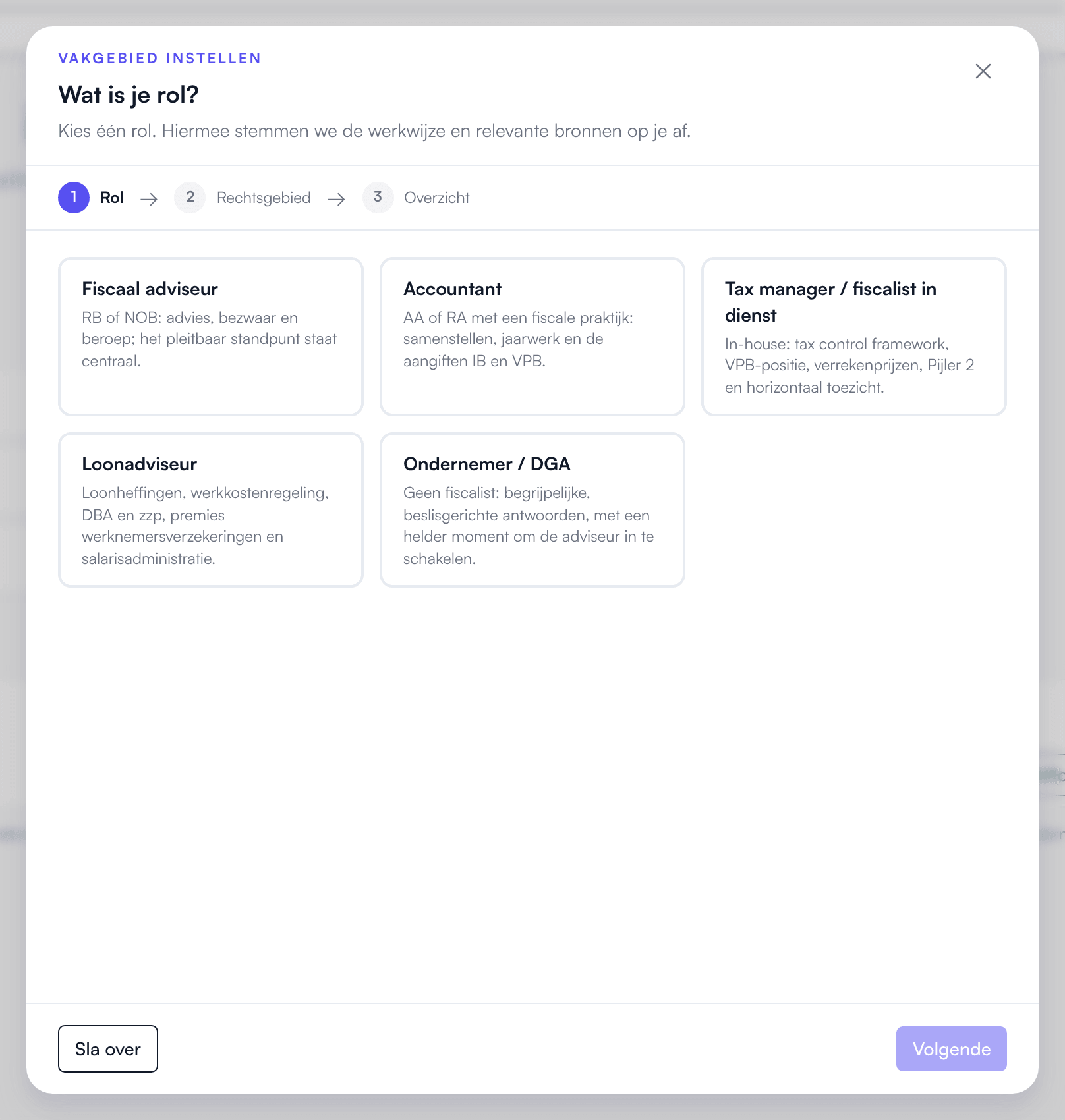
- Its own roles. The stepper asks “What kind of legal professional are you?” and offers five tax roles: Tax adviser, Accountant, Tax manager (in-house), Payroll adviser, and Entrepreneur / owner-director. If you picked a role earlier that is not in this list, pick again on the Knowledge page, on the Specialization tab.
- Its own specialization tree with eight tax branches, such as Tax returns & compliance, Tax procedure & disputes, and VAT & indirect taxes.
- Tax sources first: Dutch Tax Authority Knowledge Groups, tax knowledge bases and firm sources, and European Commission — Taxation & Customs (DG TAXUD). These are not in LEO.
- Legal sources where tax touches them: legislation, official publications, treaties, case law, the Council of State, disciplinary law, EU law, parliamentary records, registers such as KVK, BAG and the insolvency register, RVO, UWV, municipal council information, and the EPO patent register (for example for the innovation box). Sources that match your fields are switched on for you; you switch on the rest under Knowledge.
- Not in LEO Fiscaal: personal injury, the professional-conduct rules for lawyers, construction, immigration law, trademark registers, and ORDO matters.
- Workflows and research jobs, with their own tax templates such as Tax opinion, Tax scan, and Compare restructuring routes. Most tax templates are only in LEO Fiscaal; a few where law and tax meet, such as the Business succession relief test, are in both.
- The document panel for drafts next to the chat.
- Thinking depth starts at Standard and goes up to Ultra.
- Shares dossiers and chats with LEO: if your organization has both, LEO Fiscaal shows the same dossiers as LEO.
- No tour of its own.
The persona for healthcare and social care.
- The stepper asks “What kind of healthcare professional are you?” and then “Which fields do you work in?”. If you pick Physician / medical specialist or Allied health professional (physio & art. 34), the Profile / focus area choice is added.
- No legislation or case law as sources. ZIA works with care sources such as Medical guidelines (FMS), Thuisarts.nl, Farmacotherapeutisch Kompas, and the BIG-register, next to your own documents.
- For social work, community social work, and youth care, ZIA also consults the source of the Dutch professional association for social work: its professional code, professional profiles, guidelines, and positions. You see the name of the source in the app under Knowledge → Sources.
- Connects to Nedap ONS for client records, on request.
- No document panel, and no workflows or research jobs.
- Thinking depth starts at Quick, with Thorough as the highest.
- Has its own tour, which does not start by itself. Start it with Redo onboarding tour.
The persona for the physical living environment.
- The stepper asks “What kind of construction professional are you?” and then “Which construction areas do you work in?”. The summary follows right after.
- Sources around the Omgevingswet (Omgevingswet by location, IPLO (Informatiepunt Leefomgeving)), legislation, local regulations (CVDR) such as municipal design-review policies and by-laws, official publications, case law, the Raad van Arbitrage (RvA) in construction disputes, and municipal council information.
- Reads BIM models (IFC) and CAD drawings (DWG/DXF) that you upload.
- The document panel for drafts next to the chat.
- No workflows or research jobs. Thinking depth up to Thorough.
- Has its own tour, which does not start by itself. Start it with Redo onboarding tour.
The persona for public decision-making.
- The stepper asks “What is your role in public decision-making?” and then your policy areas, always together with the Layer of government choice.
- Sources around local regulations (CVDR), council information (iBabs, Notubiz, and GemeenteOplossingen council information), VNG, audit offices, CBS StatLine, the national budget, open government, and NCSC. Also planning bureaus and knowledge institutes such as the Netherlands Institute for Social Research (SCP), PBL Netherlands Environmental Assessment Agency, the WODC, and the National Ombudsman of the Netherlands. The full list is on Knowledge sources.
- If a budget figure is missing, BEVER calls it “not budgeted” instead of zero.
- The document panel for drafts next to the chat.
- No workflows or research jobs: those exist only in LEO and LEO Fiscaal.
- Thinking depth up to Standard: the ladder is there and you can pick Quick, but BEVER goes no higher than Standard.
- No tour.
The persona for risk management and information security.
- The stepper asks “What is your role?”, with roles such as CISO, Risk manager, and Data protection officer (DPO), and then “Which sector and ISMS phase do you work in?”. The ISMS phase choice always appears, whatever your role.
- Focused on standards frameworks, regulators, and the phase your management system is in.
- An empty chat shows How to get started with IRMA, with starter cards such as Help me set up my ISO 27001 ISMS and Explore the demo environment.
- The document panel, for example to draft a policy or a procedure. A draft does not land in the IRMA app by itself; recording it there is a separate step.
- No workflows or research jobs. Thinking depth up to Standard. Thorough does appear greyed out in the menu, but it cannot be switched on for IRMA.
- Redo onboarding tour opens the IRMA app and starts its Rondleiding (guided tour) there; see Guided tour in IRMA.
- The IRMA item in the sidebar opens the IRMA app.
On request: MAIA
Section titled “On request: MAIA”MAIA provides management information on your organization’s own figures, from its own bookkeeping (Exact Online). MAIA is available on request and only appears in the persona picker if your organization has MAIA.
- The stepper asks “What is your role?”, for example Director / owner or Finance manager, and then “What do you look at most?”.
- MAIA has its own workspace: your work lives in Folders, separate from the other personas.
- No document panel, no workflows, and no tour. Thinking depth up to Standard.
More: MAIA (sign-in required).
Separate apps next to the personas
Section titled “Separate apps next to the personas”IRMA app
Section titled “IRMA app”Next to the IRMA persona, IRMA is an app of its own for risk management and ISMS, at app.prudai.com/irma. There you work in registers for, among other things, risks, controls, standards frameworks, and documents. You sign in with the same account. The IRMA app is in Dutch. See IRMA.
ORDO: practice management
Section titled “ORDO: practice management”ORDO is practice management for law firms: matters, contacts, deadlines, time and invoicing, and documents. ORDO is available on request. It is a product of its own at app.prudai.com/ordo, not a persona: you do not pick it in the persona picker. The ORDO interface is in Dutch only.
If your organization has both LEO and ORDO:
- the LEO sidebar shows an ORDO item;
- the assistant in LEO can consult your ORDO matters by itself: the firm’s running deadlines, the document vault (only where a document is, not its content) and, in a linked dossier, the matter overview and the documents. There is no card or switch for this under Knowledge → Sources. In the conversation, LEO only reads from ORDO; you make changes in ORDO itself. The one thing LEO prepares in ORDO is a time-entry proposal that you confirm in ORDO yourself: on your request, or automatically when you work in a conversation in a linked dossier. Documents you upload to a linked dossier do land in ORDO. See ORDO and LEO: working together (sign-in required).
More: ORDO (sign-in required).
Which personas do you see?
Section titled “Which personas do you see?”Which personas appear in the picker depends on your organization’s subscriptions and on what has been enabled for your account.
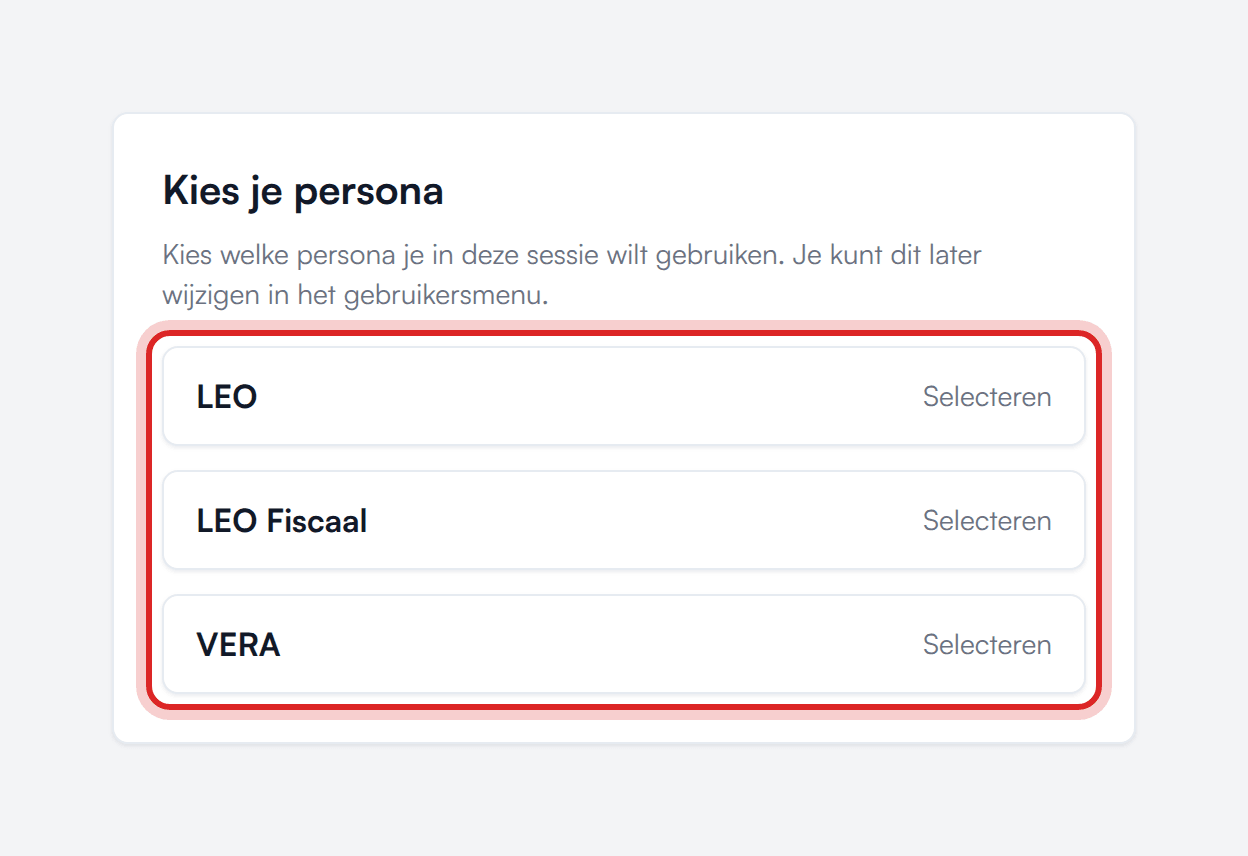
- If your account has exactly one persona, it loads automatically and you never see a picker.
- If you have several, the app asks Choose your persona when you arrive.
- Access is per persona: a subscription to one persona does not grant access to another. LEO Fiscaal does not grant access to LEO either, and vice versa.
- If your account has no active product access at all, the app stays on the No active product access screen. That screen is about your subscription, so it says “product” rather than “persona”.
Switching persona
Section titled “Switching persona”There are two routes:
- User menu (top right): Switch persona.
- Settings → Persona: this also shows which persona is currently active.
What to keep in mind:
- Switching reloads the app.
- Dossiers, projects, and chats belong to a persona. LEO and LEO Fiscaal share the same dossiers and chats; ZIA, VERA, BEVER, IRMA, and MAIA each have their own workspace.
- In LEO and LEO Fiscaal projects are called Dossiers, in MAIA Folders, and in the other personas Projects.
- Some pages only exist in one persona. If you see This page is only available in …, click Switch to …. That button only appears if your account has access to that persona. If it does not, the page says your account has no access; ask your administrator.
- Your language preference follows you across every persona.
Telling LEO and LEO Fiscaal apart
Section titled “Telling LEO and LEO Fiscaal apart”LEO and LEO Fiscaal are two personas with a shared workspace.
| LEO | LEO Fiscaal | |
|---|---|---|
| Roles | its own role list, such as Attorney, In-house counsel, Civil-law notary, and Tax advisor | its own list of five tax roles |
| Fields | legal practice areas | its own tax tree |
| Sources | broad legal, without the core tax sources | core tax sources plus legal sources where tax touches them |
| Workflows | legal templates | its own tax templates |
| Dossiers and chats | shared | shared |
So you work on legal or tax matters in one persona or the other; which one you see depends on what your organization has. There is no separate pre-screen asking about it; the stepper starts straight at “What kind of legal professional are you?”.
Where do you see which one you are using?
- The sidebar shows, above the navigation, usually LEO Legal in LEO and LEO Fiscaal in LEO Fiscaal. If you earlier picked tax in LEO’s specialization questions, it says LEO Fiscaal there too; check the top bar in that case.
- The top bar shows the full name on the start page, for example “Lex Explanata Oraculo (LEO Fiscaal)”.
- If your organization set its own product name, the sidebar shows that name.
What your organization can have switched off
Section titled “What your organization can have switched off”What you can do inside a persona is not only a matter of the subscription. At your organization’s request, Prudai can deliberately switch off features per persona, for example uploading, sharing, or the choice of thinking depth. See What your organization can switch off.