
Onboarding tour
The web app has an interactive tour that walks you through the main areas, with a demo case that matches your persona. In a few minutes you see how to get from a dossier to a result: the fastest route to getting comfortable with the app, and useful for new colleagues. IRMA has its own guided tour, of the IRMA app.
Which tours exist?
Section titled “Which tours exist?”- LEO: broad legal demo, including a case-law research step.
- VERA: tour around an environmental-law and BIM coordination example.
- ZIA: tour around a care-sector or internal case file.
- IRMA: a seven-step guided tour of the IRMA app. See Guided tour in IRMA.
There is no tour for LEO Fiscaal, BEVER, or MAIA (on request). If you work in one of those personas, Redo onboarding tour is still in the user menu, but nothing happens when you click it. That is not a fault: no tour has been built for those personas. You do still get the specialization stepper described below.
When does the tour start?
Section titled “When does the tour start?”- LEO: for a new account the tour can start by itself, after you have completed the specialization stepper. If it does not start, start it yourself through Redo onboarding tour.
- ZIA and VERA: the tour does not start by itself. You start it yourself through Redo onboarding tour.
- IRMA: the guided tour starts by itself the first time you land on the IRMA app’s overview, in a new organization (also when Prudai has just set it up for you), in an organization that was created automatically at your first sign-in, and in an environment you create yourself with Nieuwe omgeving (New environment). In an existing organization that Prudai set up for you earlier, you start it yourself through the account menu (Rondleiding, “Guided tour”) or through Redo onboarding tour.
Which tour you see depends on the active persona. If you switch persona, a different tour belongs to it (or none).
Restart the tour
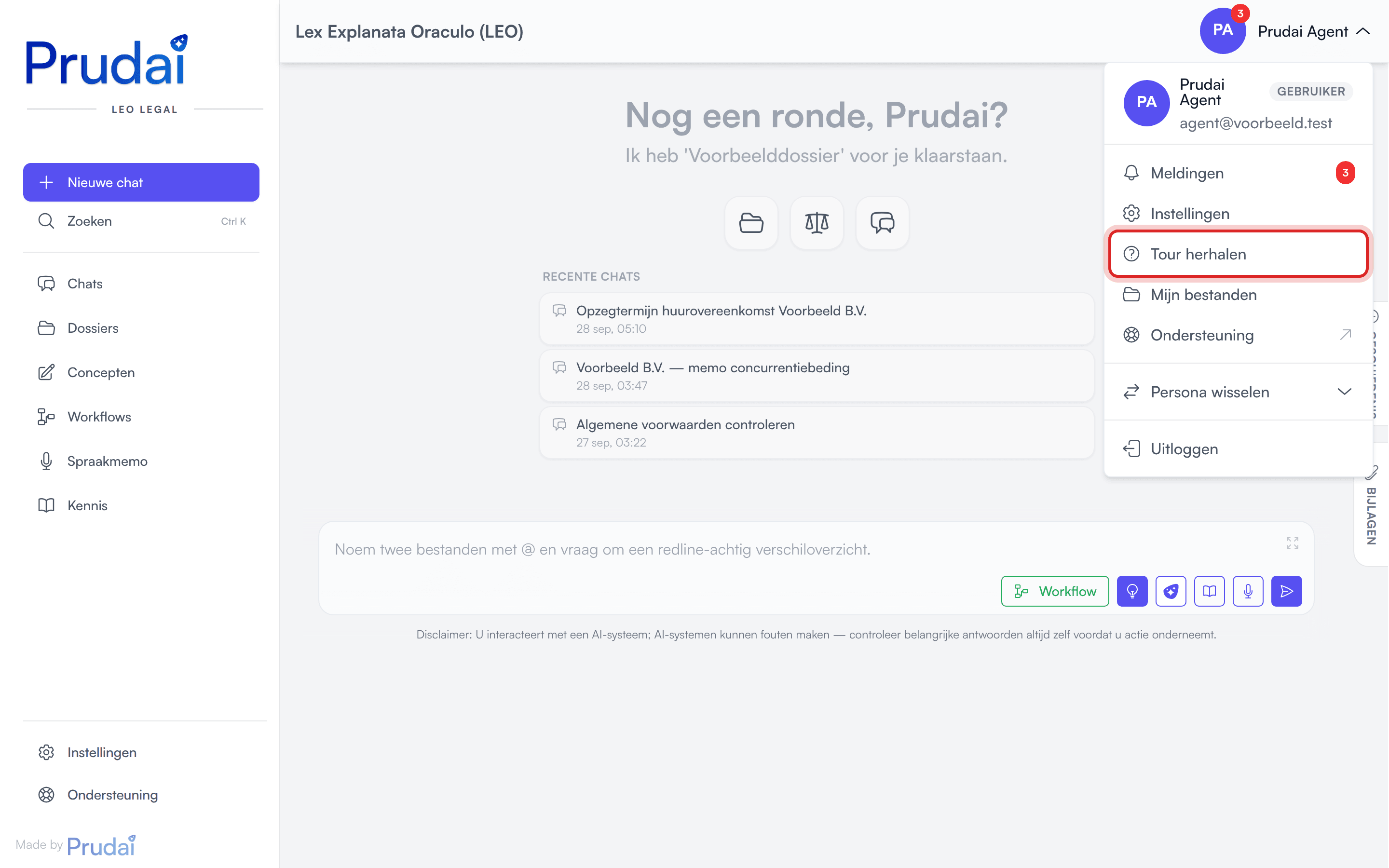
Section titled “Restart the tour”The user menu (top right) has Redo onboarding tour. The tour that starts matches whichever persona you are working in. In IRMA, Redo onboarding tour opens the IRMA app and starts the guided tour there.
If nothing happens when you click it, you are in a persona without a tour (LEO Fiscaal, BEVER, or MAIA).
What does the tour cover?
Section titled “What does the tour cover?”The tour in LEO, ZIA, and VERA is demo-first and shows value in this order:
- Create a prefilled demo project with one click. The case files are uploaded automatically (legal in LEO, BIM coordination in VERA, a care or internal case file in ZIA).
- Look at the parts of the project and see how quickly the files are processed. Once they are processed, the assistant can use them.
- Review the Tasks view for the structure of the case.
- Run an automatically sent demo prompt in the project chat, with a live scenario graph.
- A second demo prompt drafts a first document based on the case files. You then see how to export it and save it as a Word file in the project files.
- Open Knowledge to review the enabled sources (LEO and VERA).
- Return to chat for the Prompt library, with standard prompts and the Visualization tag (LEO), then Attach files.
Important for the chat demo step:
- The prompt is inserted and sent automatically.
- During this step, the prompt is temporarily non-editable.
- Input unlocks again after the demo response completes.
Differences per persona:
- LEO ends with a case-law research step: it automatically starts a predefined run for the demo case and opens it, so you see the progress live. In LEO the draft document is a draft settlement agreement.
- VERA emphasises environmental sources (Omgevingswet, IPLO, official publications) and, where relevant, BIM files.
- ZIA focuses on internal knowledge, project documents, and tasks. There is no Knowledge step and no research step.
Guided tour in IRMA
Section titled “Guided tour in IRMA”IRMA has two starting points: the chat and the IRMA app.
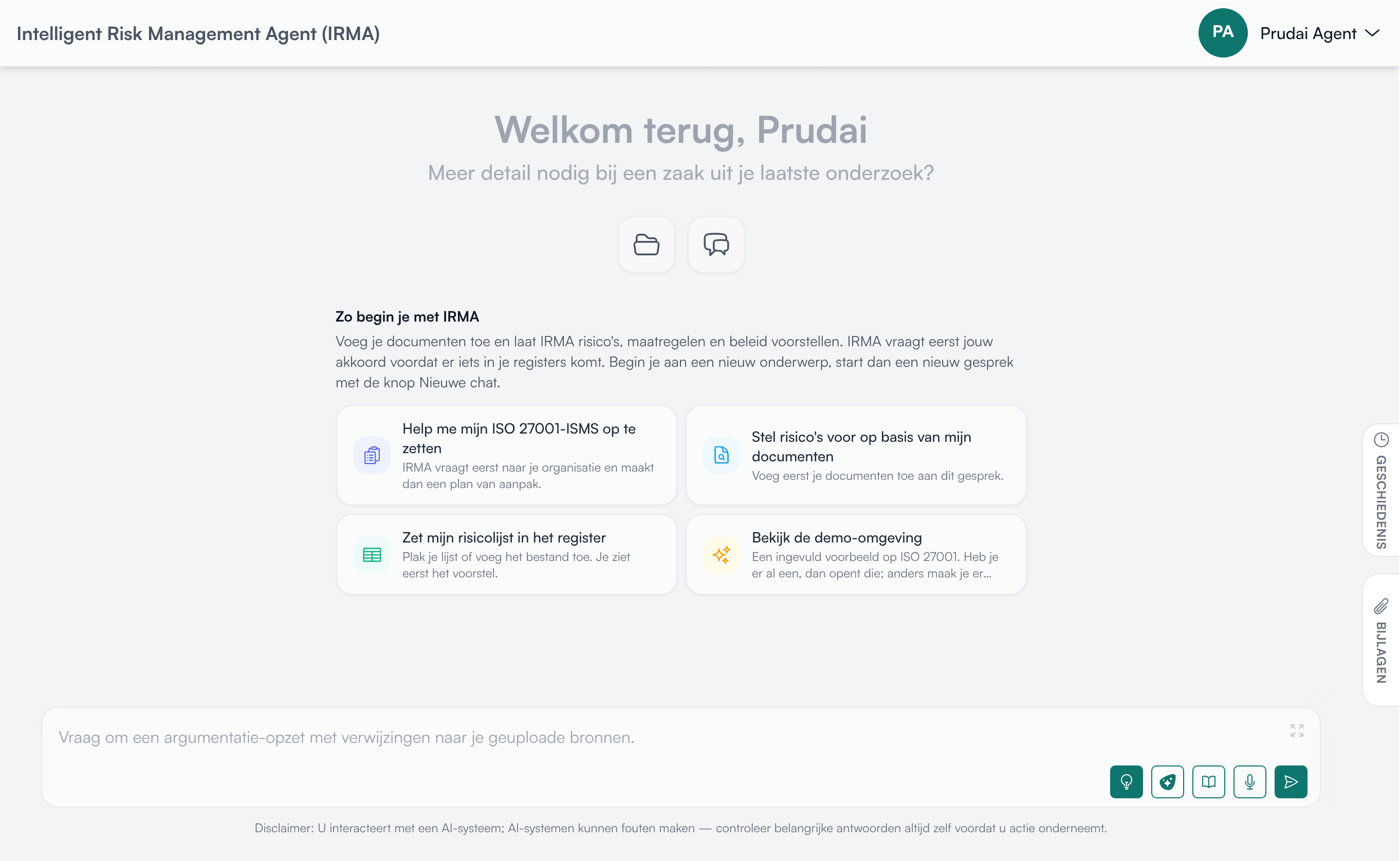
In the chat. A new, empty IRMA chat shows How to get started with IRMA: a short explanation and four starter cards, such as Help me set up my ISO 27001 ISMS and Explore the demo environment. A card puts the question in the input field; you send it yourself, so you can add documents or adjust the question first. Explore the demo environment opens the IRMA app: if you already have a demo environment, you go there, otherwise you can create one.
In the IRMA app. The IRMA app is in Dutch. Its guided tour has seven steps:
- Welkom in IRMA (Welcome to IRMA): your overview.
- Risico’s (Risks): your risk register.
- Beheersmaatregelen (Controls).
- Normenkaders en SoA (Standards frameworks and SoA).
- Documenten (Documents): your policies, procedures, and evidence.
- Werken met de assistent (Working with the assistant): Nieuwe chat (New chat) opens the IRMA assistant.
- Eerst oefenen met demodata (Practise with demo data first): Naar de demo-omgeving (To the demo environment) takes you to an environment with sample data on ISO 27001.
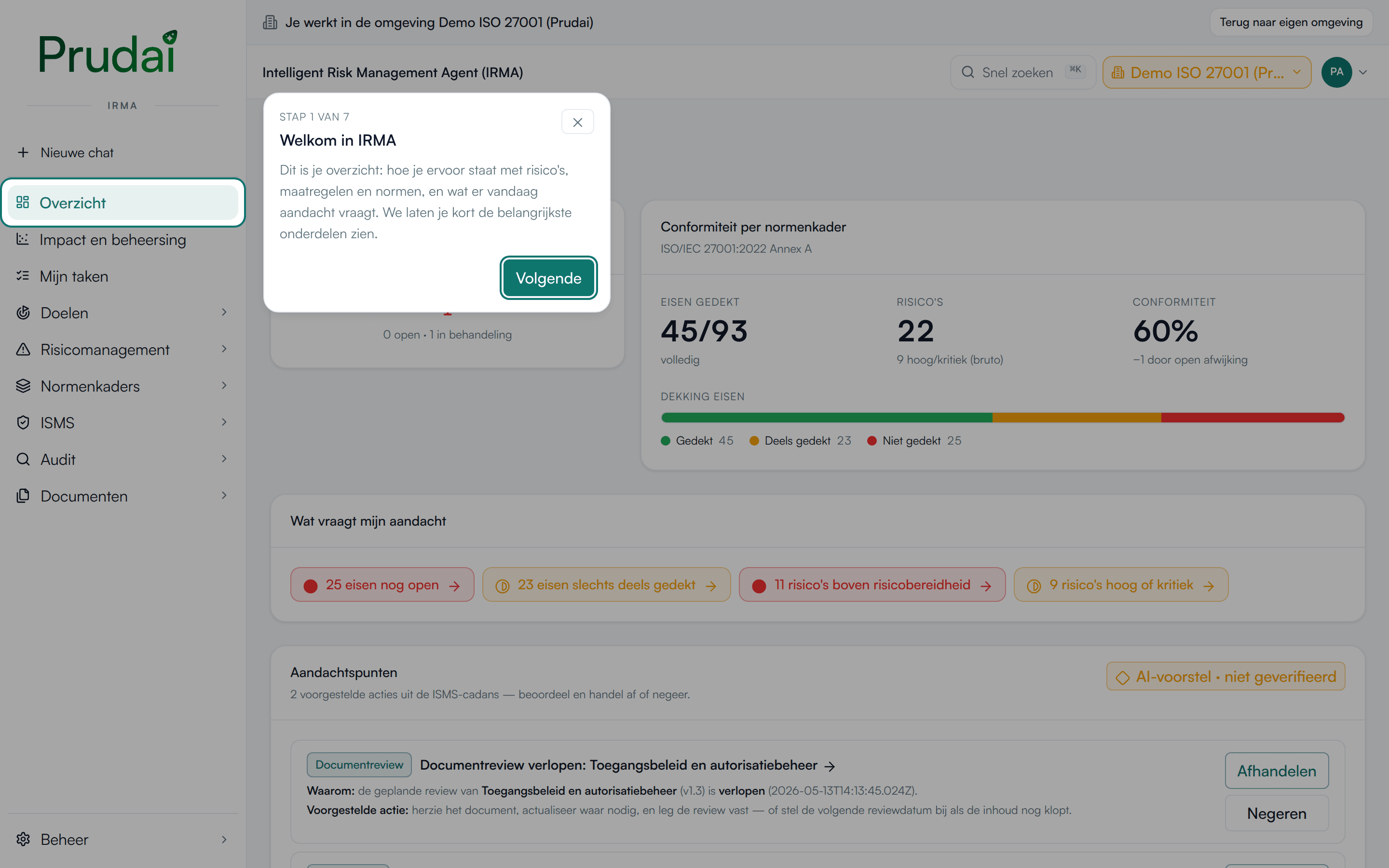
You move through it with Vorige (Previous) and Volgende (Next), and stop with Rondleiding overslaan (Skip the tour). You can always restart it: in the IRMA app through the account menu (Rondleiding, “Guided tour”), or from the chat through Redo onboarding tour.
More about the IRMA app: IRMA: getting started.
Specialization stepper
Section titled “Specialization stepper”Independent of the tour, every persona gets the specialization stepper. It is mounted in two places:
- the first time you open the chat;
- afterwards on the Knowledge page, on the Specialization tab, where you can run through it again.
The stepper is not reachable from Settings.
The order is:
- Role: “What kind of legal professional are you?”, or the variant that belongs to your persona (“What kind of healthcare professional are you?” in ZIA, “What kind of construction professional are you?” in VERA, “What is your role in public decision-making?” in BEVER, “What is your role?” in IRMA and MAIA). LEO Fiscaal has its own tax roles.
- Practice areas (LEO and LEO Fiscaal) or fields (the other personas), where an extra choice can appear depending on persona and role: industries, profile, layer of government, or ISMS phase. In MAIA this step is called What do you look at most? and you pick topics, such as Revenue & margin and Liquidity (see MAIA).
- Summary: “Ready to start?”. Nothing left to fill in here.
If you skip the stepper, the chat asks again in a later session for as long as you have not picked a role and specialization.
The first-time experience is described step by step in the Quick start. How you manage your specialization later is covered on Knowledge.